Explore the latest trends and find our updates on all you need to know about what is happening in the world of web and technology.

 2079
2079
Imagine having the opportunity to reach out to every customer to make sure that they understand to appreciate the product personally while exposing themselves to potential customers looking for a product. Unfortunately, that is not something you can do at once, and that is why your company website does it for you. A reliable website is one of your greatest assets, and a touchpoint to make or break.
Various age groups have different demands. Diversity is one of the major things that make the web amazing. Henceforth, the focus needs to be put on understanding and appreciating the difference that age can make in building a digital forum. It can be a challenge to build UX according to the various age groups, but the consequent production and use of the interface change traditional software behavior.
An article by Impact analyzing UX's market interest notes that 61 percent of users move to another site if they are unable to locate what they are searching for instantly. While bad UX can cost them customers and money from their businesses, good UX can bring them in. A well-planned website that is easy to use and has excellent content can make a potential customer a regular one.
The way you conduct UX decides whether your website will perform or not. You already know that consumers differ demographically and psychologically. Still, they also vary generationally - meaning that, if not well planned, your website or app design might unintentionally drive away your customer base.
When it comes to design, different generations need, expect, and are comfortable with different things. Websites, therefore, rarely follow a single size fits all formula despite common misunderstanding. While you may want to reach every consumer, priority should be given to your primary consumer. You can then integrate factors that appeal to this customer category into your website design.

Many age groups have different needs than digital platforms, as we have seen. And how do those generational differences turn into designing for the UX? It has been described that making the interface user friendly depends on a few factors: Fonts, color and contrast, gestures, expression, and navigation, and flow or UI chart of the user. Below are some of the metrics that benefit from this work when developing UX for different generations:
Young kids want the show. The main goal is to keep them busy. The direct target is not necessary for the mind. So UXD for infants allows us the opportunity to involve them through experimentation and interaction.
Teenagers rely on keeping up with technology. Technology is the most prevalent among adults than among young people. From here, their introduction to the world from friends, family, and acquaintances begins. Interaction with children has been significant, whereas young adults only like interactivity when it serves a function and promotes their current mission.
They are the digital natives, the people who accompanied technology before the critical mass technologies were taken over. The now Millenials have been or are involved in testing usability, psychological analysis, and ergonomics. Those are the people who alter business winds.
Elderly consumers appear to be overlooked, but they are the ones who understand the importance of user interaction and brand, product, or consumer experience. Between 35 and 55, these adults took technology on board and appreciated the importance of good user experience. It requires among them:
The current user group to embrace the digital world is seniors aged 56-80. The seniors are there to learn and cultivate the Smartphone and tablet habits as their regime. This age group of users over 60 years of age appears to be the simplest but is the hardest to understand. There are numerous user experience design aspects to take care of while designing a' senior-friendly' digital platform.
We see different generations of people on digital platforms having various dependencies and having certain expectations, needs, and demands. In today's rapidly evolving technological landscape, where smartphones, tablets, PCs, and wearables have become an inseparable part of human life, serving users with the best user experience is paramount. In a quick view see the UX design for different user generations;
Although every generation has expectations for what makes a good UX, there are a few common UX concepts that apply across the board to consumers. Each page is designed like a landing page. Creating every page of your website with the same attention to detail that you offer to your homepage guarantees a positive experience when customers visit your site.

Easy to navigate, transparent layouts, and user experience will decide how your client feels about your brand, whether or not you are meeting their needs, and whether your company's product is appealing to potential clients. Use UX concepts such as those discussed above will help you customize your digital experience. It will boost the image of your brand to your client, and eventually, help your company benefit.

 3332
3332
A native app is an app that is installed directly on the device for a particular mobile device. Users typically purchase these apps on Google Play through an online store. Native Apps are entirely in compliance with the terms of the roles and output that are implemented. Such applications can be used offline allowing easy access. Although you need a more significant investment in the beginning, native apps keep us sorted by providing a better user experience for a longer-term and are a staple across industries.
Progressive Web Apps are a combination of standard web sites and mobile apps that use modern Internet technologies to provide users with a similar experience to a native application. Built with modern JavaScript frameworks, they are web sites built to function like a native app. They can be attached with an icon to a home screen of a mobile device. Like apps, they offer a full-screen experience when using it.

When we think about all forms about the audience in terms of accessibility and ownership, then native applications offer more acceptable results than PWA.
When we think about all forms about the audience in terms of accessibility and ownership, then native applications offer more acceptable results than PWA.
If we look at in terms of accessibility and ownership by all types of the audience, then the native app gives more satisfactory results than PWA.

The discussion between Progressive Web Applications vs Native apps will always remain relevant. There are use cases for both, and from the technology, it depends on what you want, and need. The differences between PWA and Native apps are highlighted above, and the user will be able to learn how;
That said, a native app allows you to offer users a fully customized and always-on experience. It is the only option that provides a whole new channel to site owners with push notifications, available on both iOS and Android. It is especially good for news publishers, blog sites, and e-commerce companies that want to offer timely alerts and native features to clients and followers.
For a native app, of course, you'll have to weigh the price, the time to launch, and the option between iOS and Android stores if you want to create a native app.
Because native apps cost more to create and involve a more time-consuming development process, we suggest choosing a native app for your e-commerce website to ensure the comfort and satisfaction of your customers.
Native apps deliver a more customized experience, better efficiency, and excellent user support. With all these advantages, your online store can easily meet increasing and competitive demands that lead to higher conversion rates.
 2015
2015
Blockchain is a modern way to store data in a distributed ledger that allows multiple parties to share access to the same information safely and with confidence. Today this technology is the prime reason behind a digital economy that is fair, inclusive, secure, and democratic.
Blockchain can provide applications with a variety of mind-blowing benefits. The USP of this technology is that the needs of any third party or intermediaries during the process have been removed. Strengthening, dependency, and a high level of safety are the key factors that attract users. It also builds trust between organizations while carrying out any transaction.
Blockchain is the technology that enables individuals and businesses to exchange their data, information without any hassle. It helps the organizations to reach agreement on transactions and details and to record them indefinitely. There is no glimmer to witness because it is free of any hidden costs and operates without a central authority.
Cross-border transfers are routine and occur regularly. This can be achieved on an individual and official basis, but there is no question that the expense and other importance of the move involved are costly.
This occurs especially when multiple currencies are involved, and this brings with it the presence of numerous banks at different locations around the world. And if all of this happens, only the receiver gets the money.
Here Blockchain technology cuts the needless distances and offers a more straightforward and cheaper alternative to conventional cross-border forms of payment. Blockchain has now turned out to be an accessible technology making the transnational payment process easier.
Blockchain technology is an acceleration of enterprise applications. Even as use cases are being studied for their long-term potential, technology also needs to be designed to counter more complex threats ever. Today, there are a few clues that can help to discover what potential security threats may be.
Soon, biometric identification is likely to be a standard identity verification method, in which multiple security protocols create a unique identifier that can be indexed on a blockchain. No data will be kept on the chain, but it will allow the consumer to prove who they claim to be. Blockchain is, therefore, a key feature in security.

Better growth of any company is a result of well-managed services. And such managed services can be accomplished only if you have an effective supply chain network. Today, a lot of businesses around the world are facing the brunt of a pandemic, and this has reduced the number of physical workers on the field.
This has given the stores a hard time handling their stock because no one is there to watch the services. However, with technologies such as Blockchain, holding a watch on supply chains and ensuring productivity becomes a cake-walk. It undoubtedly eliminates human efforts, and further smoothes the complex and crucial supply management process.
Smart contracts are one of blockchain technology's most and highly powerful functionalities. It is a mix of computer programs that will take care of every inch of your agreement, from facilitation to execution.
And to make it work, you do not need any expert advice, instead, you only have to meet those requirements. As a result, you should let it go self-executed and self-sustained.
Education is, in my view, one of the best ways of introducing any technology. It is even more critical with Blockchain than it is with others. I think all of this comes back to demand. The marketplace will respond accordingly as businesses see the merits of blockchain technology, and they get results: more suppliers, more skills, and more ideas. It has greatly improved education systems and made it available to potential users.
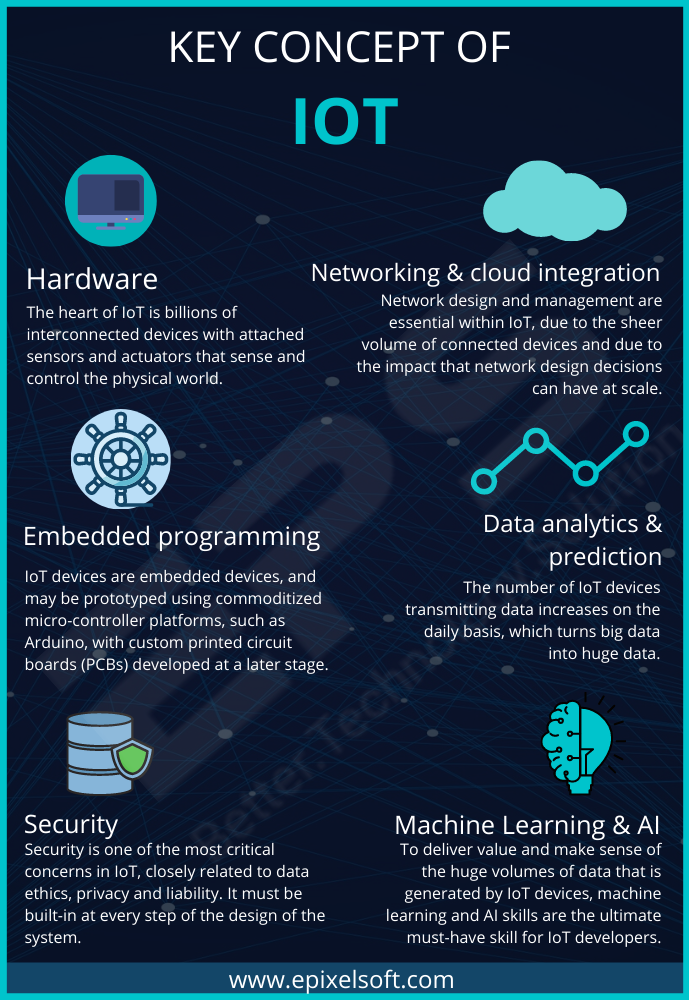
The International Data Corporation reports that IoT businesses have experienced the impact of blockchain technology. And this has led them also to suggest this very technology in their approach. Twenty percent of IoT deployments will allow blockchain services by 2020, as reported by IDC. Blockchain 's enormous benefits have given rise to numerous industries and businesses that accept it. Perhaps this is something that has and will bring more exciting things soon.
I think that standardization is still an open question. There is some real work done on standardization, but we need a global consensus on blockchain standards. It offers better interoperability, better sidechain support, and integration with conventional databases and traditional systems in which the ecosystem still needs to grow.
There is also a very large assumption that there is no difference between crypto-currency and Blockchain. If you mention that you are practicing Blockchain, what people believe you are going to do is spend the day thinking about Bitcoin. No, that is not the same thing. Meanwhile, in blockchain technology, we see more robustness and sophistication. It is much more advanced than it has been, and there are still so many great developments to come.
Blockchain technology offers a new framework for building innovative applications beyond cryptocurrencies, driving significant, meaningful changes through industry, culture, and society.
In this blog, check out how Blockchain Technology will further Accentuate the Digital World

Blockchain technology would potentially revolutionize the way we work and live. It can give us more power over our health and well-being, more in-depth insight into the source and nature of the food we consume, and the goods we purchase quicker financial transactions and more open and private at the same time and more productive industry.
Blockchain technology can provide a stable, scalable platform for two-way communication. And the new security protocols give it already a strong resistance to cyber-attacks. Blockchain will overcharge artificial intelligence and IoT to make it smarter and more secure, from supply chains to digital identity management.
 2240
2240
The dark themes have been the most sought after features in app design for some years now. Last year macOS launched Dark Mode, and Google declared a broad universal range of Dark Theme. While it was once rare, the current patterns are now dark themes and have become popular.
If done correctly, design the dark mode for your Mobile App is easier to read in low light. They lower the eyestrain. Based on the screen, they facilitate low battery consumption. Nevertheless, a beautiful dark theme is not easy to create. We will look at how mobile app designers can start providing their users with a dark mode UI design experience.
If used for long, the apps that feature too much brightness are harmful to our eyes. The use of dark mode will help relax the eye-opening, making it easier to work on applications. It helps solve these persistent problems of health and well-being, thus answering why dark mode is common.
Any trend-oriented mobile app design company would tell you that it needs to be designed according to match the recent market demands. Dark UI is the most popular design element on demand since the last year.
Dark mode app design helps to lengthen the battery life of the device. Google confirmed that a dark mode on OLED screens is a game-changer for the device's battery life. YouTube saves up to 15 percent more battery life in dark mode than the flat background at its 50 percent brightness.
When reading a white text on a black background, the iris opens more and becomes more luminous, and the deformation of the lens develops a fuzzier focus on the eyes. This is called the Halation Effect, one of the biggest challenges in the design of dark mode devices. Due to the high contrast, unhealthy dark mode tends to be very harsh on the eyes and can strain them very fast.

If every pixel gives out its sense of illumination to display darkness in OLED, the pixel does not light up at all. But because most OLED panels are limited to a refresh rate of 60Hz, scrolling lets the pixels light up, and the slow refresh rate induces a jiggly effect.
Google comes with robust support for documentation that lets designers understand how the dark theme functions on the Android ecosystems. The tech companies have established four principles that define dark UI design and provide a starting point for how dark mode can be designed.
Use grey color instead of solid black when designing a dark theme to show space and elevation in a wide depth range environment.
In dark theme UIs, add minimal color accents, so the majority of space is devoted to dark surfaces.
Conserve the battery life by using light pixels when designing the dark mode in items that need performance (such as devices with OLED screens).
Accommodate regular users of dark themes (such as those with low vision), by meeting the color contrast standards for accessibility. The Google Guidelines for Dark Color Scheme and Overall Mode set different properties.

Elevation: The modules maintain the same default shadow modules and elevation levels as for the light theme throughout the process of developing the dark theme.
The higher the elevation of a surface, the lighter the surface would be. The application sees the lightness of a semi-transparent overlay.
Accessibility and contrast: The backdrop should be dark enough to display white text in dark theme UI design. They will use a minimum contrast of 15.8:1 between the text and the context. Doing so ensures that when applied to surfaces at the highest elevation, the body text meets the WCAG AA norm of 4.5:5:1.
Colors: The dark theme UI should avoid saturated colors; instead, designers should concentrate on using desaturated colors because they increase readability. The choice of primary and secondary colors should also rely on both the light and dark UI themes being considered.
Light text on dark areas: When a light text appears on a dark backdrop, specific opacity rates must be used:
States: States use the overlays to communicate the status of interactive elements for the dark theme templates or components. In a dark theme, states must use the same values for overlay as the default light theme. Two containers inherit the overlays of the State: Surface and Secondary.
Surface containers that use the surface color have to add an overlay that suits the text or icon color. The state overlay must be white for the surface containers which use the primary color.
Apple has revisited the sense of UI style and colors inside iOS with dark mode. Let us look at the updates Apple has introduced to help you develop dark mode on iOS 13.
Apple has come up with colors for the commonly applied UI elements to standardize the look and feel of the iOS apps in both dark and light mode. These colors do not have an absolute RGB value, and they adapt directly to the iOS interface style.
Apple has also developed 9 predefined system colors and the semantic colors, which are dynamic and support the dark system-wide appearance. This means that such colors are appropriate for selected design types, such as semantic colors.
Apple has introduced 4 blur effects and 8 vibrancy effects with iOS 13, which automatically adapts to the design of the iOS app. Apple has also implemented 4 vibrancy effects in the typography suite for dark iOS mode, 3 in the overlay, and 1 for the separator.
Apple provides a set of more than 1500 symbols. Human Interface Guidelines for Software developers and designers to use in their applications. They look great in the Dark Mode since they have been designed for both light and dark UI.
Dark themes have a lot of advantages, and these days are prevalent. Nevertheless, they are challenging to enforce fully. The simple way to invert shades and reuse colors would improve eyestrain, do reading in low light more delicate and split the data and visual hierarchy. Below is a quick summary of how to design dark mode for your mobile app effectively.


 13 Jul
2020
13 Jul
2020 5
min read
5
min read